Mastering iOS 26.5: A Complete Guide to Updating and Unlocking New Features
Introduction
Apple is preparing to release iOS 26.5, a minor yet impactful update that brings several new capabilities to your iPhone. After over a month of beta testing, the final version is expected to land next week. This guide walks you through everything you need to know to update your device and start using the latest features: end-to-end encryption for RCS, localized ads in Apple Maps, a vibrant new Pride wallpaper, and extended interoperability for third-party accessories in the EU. Follow the steps below to get the most out of iOS 26.5.
What You Need
- An iPhone or iPad running iOS 26.4 or earlier (compatible with iOS 26.5)
- A stable Wi-Fi or cellular internet connection
- At least 2GB of free storage space (check Settings > General > iPhone Storage)
- A recent iCloud or iTunes/Finder backup (recommended before any major update)
- For RCS encryption: a supported carrier that offers RCS messaging (Apple confirmed end-to-end encryption for RCS between iOS and Android)
- For Apple Maps ads: location services enabled (Settings > Privacy & Security > Location Services)
- For Pride wallpaper: iOS 26.5 installed and a compatible device (iPhone XS or newer)
Step-by-Step Guide to iOS 26.5
Step 1: Back Up Your iPhone
Before installing any major software update, always back up your data to prevent accidental loss. Connect your iPhone to Wi-Fi, go to Settings > [your name] > iCloud > iCloud Backup, and tap Back Up Now. Alternatively, connect to a computer and use Finder or iTunes. This ensures your photos, messages, and settings are safe.
Step 2: Install iOS 26.5
Once the update is publicly released (expected next week), navigate to Settings > General > Software Update. You’ll see iOS 26.5 listed — tap Download and Install. Your device will restart during the process. Keep your phone plugged in and connected to Wi-Fi until the update completes. If you’re enrolled in the beta program, you may already have the Release Candidate; the final build should be identical.
Step 3: Enable End-to-End Encryption for RCS
After updating, open Settings > Messages and look for the RCS Messaging toggle. (If you don’t see it, your carrier may not support it yet.) Turn it on. Next, ensure Send as SMS is enabled as a fallback. End-to-end encryption will now automatically apply to RCS conversations between iOS 26.5 and supported Android devices. Note that both parties must be using apps that support the new encryption standard. Apple tested this feature in iOS 26.4 beta and confirmed it’s fully ready for iOS 26.5.
Step 4: Explore Apple Maps Ads & Suggested Places
Apple Maps now includes localized ads in search results and a new “Suggested Places” section. To see them, launch the Maps app and search for a general category like “coffee” or “pizza.” You may see a sponsored result with an “Ad” label at the top. The new Suggested Places section appears when you tap the search field — it shows trending nearby spots and recommendations based on your recent activities. Apple says your location and ad interactions are not linked to your Apple Account, preserving privacy. To customize your experience, go to Settings > Privacy & Security > Location Services and adjust location permissions for Maps.
Step 5: Apply the New Pride Wallpaper
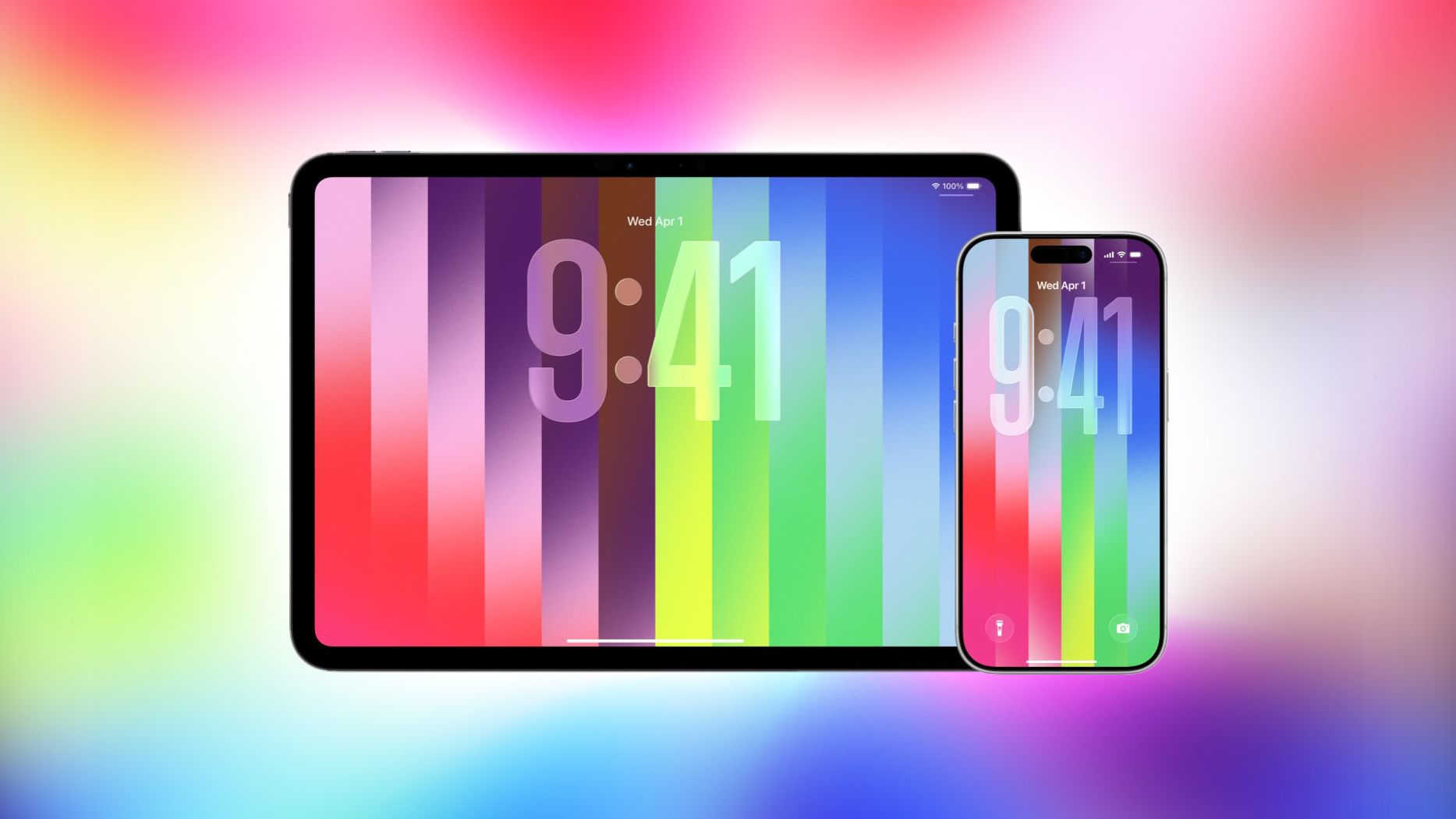
iOS 26.5 includes a dynamic Pride wallpaper with customizable colors, celebrating LGBTQ+ communities. To set it: go to Settings > Wallpaper > Choose a New Wallpaper. Scroll to the Pride section (it may be inside a new folder). Tap the design you like — you can adjust the color palette by swiping or selecting from preset options. Then tap Set and choose whether to apply it to your Home Screen, Lock Screen, or both. The wallpaper features a joyful, vibrant design and works on iPhone XS and later.
Step 6: Understand EU Changes for Third-Party Accessories
In compliance with the Digital Markets Act, Apple is extending several iPhone features to third-party smartwatches and headphones within the EU. After updating to iOS 26.5, EU users can expect notifications, Live Activities, and an AirPods-like pairing experience with non-Apple wearables. To use these features, ensure your third-party accessory supports the new protocols — check the manufacturer’s app for updates. These changes do not affect devices outside the EU, but they signal Apple’s ongoing adaptation to regulatory requirements.
Tips for a Smooth iOS 26.5 Experience
- Check carrier support: RCS encryption depends on your mobile carrier. Contact them or visit their support page to confirm compatibility before relying on end-to-end encryption.
- Manage ads in Maps: If you find Suggested Places intrusive, you can disable location-based recommendations in Settings > Maps > Suggestions. Turning off “Location-Based Suggestions” will remove the trending recommendations.
- Customize Pride wallpaper further: After setting the wallpaper, you can long-press the Lock Screen to enter customization mode and change the colors again or adjust the depth effect.
- Free up storage: If the update fails due to low space, delete unused apps, clear cache in Safari (Settings > Safari > Clear History and Website Data), or offload large apps temporarily.
- Stay updated on EU features: Third-party accessory support may arrive in stages. Keep your accessory firmware updated and watch for announcements from Apple’s developer site.
- Report bugs: iOS 26.5 is stable, but if you encounter any issues, use the Feedback Assistant app (if in beta) or submit feedback at apple.com/feedback.
Related Articles
- Ubuntu Pro Integration in Security Center: A Q&A Guide
- Breaking: Ailux Names Former AstraZeneca R&D Leader as Chief Scientific Officer
- Ubuntu Pro Setup: A Step-by-Step Guide via Security Center
- Step-by-Step Guide: In-Place Vertical Scaling for Pod-Level Resources in Kubernetes v1.36
- Why AMD Champions Open Architectures in the Space AI Race
- The Accelerating Risk of Feature Bloat: How AI is Reshaping Product Management
- A Look at Contrary to popular superstition, AES 128 is just fine in a post-qu...
- Rust 1.94.0 Released: Enhanced Iteration, Configuration, and TOML Support