Overcoming Hidden Delays in Network Incident Response
Introduction
Modern IT environments generate a constant flood of alerts from disparate systems—SIEMs, firewalls, endpoint detection tools, and cloud monitoring platforms. When a network incident strikes, response teams often find themselves trapped in a manual coordination nightmare: switching between consoles, correlating timestamps, and chasing down colleagues for context. This article explores the hidden bottlenecks that slow down incident response and examines how automation and AI-assisted workflows can eliminate these delays, enabling faster, more coordinated remediation.
Bottleneck #1: Alert Fatigue from Disconnected Systems
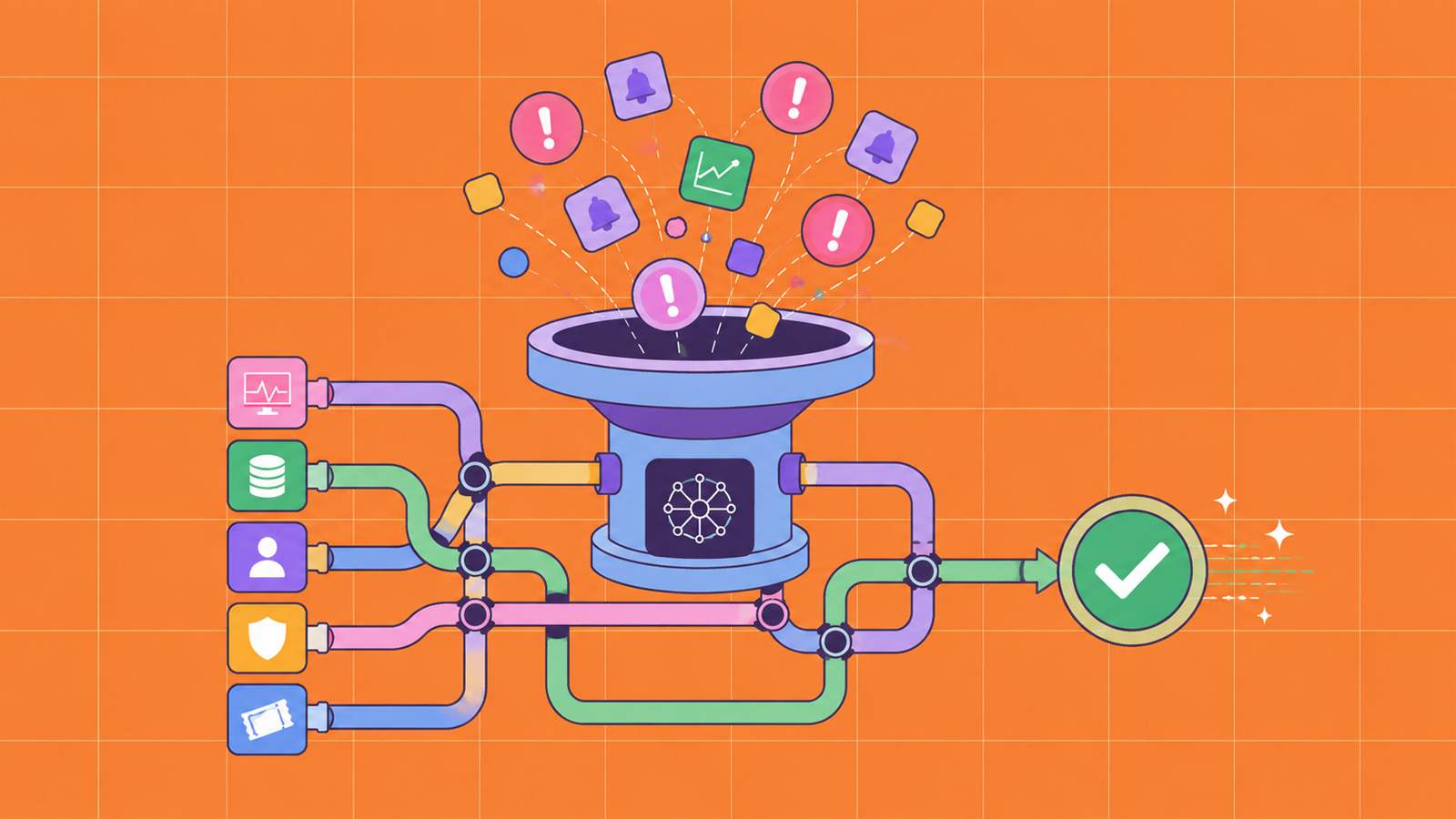
One of the most pervasive challenges is the sheer volume of alerts. Each security tool operates in its own silo, firing notifications without cross-referencing with other sources. A single incident—say, a suspicious login from an unusual IP—might trigger alerts from the VPN gateway, the endpoint agent, and the identity provider. Responders must manually sift through these warnings, often missing critical connections. This alert fatigue not only wastes time but also leads to overlooked threats. Automated correlation engines can ingest feeds from multiple systems, deduplicate events, and present a unified timeline, drastically reducing the noise.
Bottleneck #2: Manual Investigation Workflows
Even when an alert is deemed high priority, the investigation process remains heavily manual. A typical workflow involves opening multiple browser tabs, executing commands on remote servers via SSH, comparing logs from different tools, and documenting findings in a shared document or chat. Each step introduces latency. According to industry studies, the average time to identify the root cause of a network incident exceeds 60 minutes. AI-assisted workflows can automate routine data gathering—automatically querying logs, running predefined scripts, and populating a common operational picture. This frees up human analysts to focus on complex decision-making.
Bottleneck #3: Poor Communication During Response
Coordination is often the weakest link. When multiple teams (network ops, security, cloud engineering) must collaborate, information gets scattered across emails, chat channels, and ticketing systems. A responder might have to ask the same question in three different places. This communication overhead can stretch the mean time to respond (MTTR) by hours. Implementing a centralized incident response platform with built-in chat, status updates, and role-based views can synchronize efforts. Automation can also trigger notifications to the right people based on alert severity and skill set, ensuring the right eyes are on the problem immediately.
Bottleneck #4: Post-Incident Analysis Paralysis
After an incident is resolved, teams often struggle with post-mortem documentation. Without a structured approach, lessons learned are lost or buried in spreadsheets. Manual report creation can take days. AI can assist by summarizing the timeline of events, highlighting key actions taken, and suggesting improvements based on historical patterns. This turns incident response from a reactive firefight into a continuous improvement cycle.
Solutions: Automation and AI-Assisted Workflows
The webinar highlighted how modern platforms are tackling these bottlenecks head-on. Let’s examine the key technologies:

Unified Alert Correlation
By deploying a correlation engine that ingests data from all security tools, organizations can reduce alert volume by up to 70%. The engine uses rule-based and machine learning algorithms to group related events into a single incident, complete with a threat score and recommended actions.
Automated Playbooks
Responders can design playbooks that execute repetitive tasks automatically—such as isolating a compromised endpoint, capturing memory dumps, or blocking an IP address on the firewall. These playbooks can be triggered by specific alert types, cutting manual steps from minutes to seconds.
AI-Powered Investigation Assistants
Chatbots and virtual assistants trained on incident data can answer natural language queries like “Show me all alerts from the CRM server in the last two hours” or “What was the user’s activity before the alert?” This provides instant context without requiring analysts to navigate complex dashboards.
Collaboration Hubs with Role-Based Access
Centralized dashboards that display the incident status, assigned tasks, and live logs can replace scattered communications. Each team member sees only relevant information, while automation updates the timeline as actions are taken.
Implementing a Faster Response Culture
Adopting automation and AI is not just about tools—it’s about process change. Organizations should start by mapping their current incident response workflows and identifying the most time-consuming manual steps. Prioritize automating high-volume, low-judgment tasks. Next, introduce AI assistants in a controlled pilot to measure time savings. Finally, establish a feedback loop: after each incident, use automated post-mortems to refine playbooks and correlation rules.
Conclusion
The hidden bottlenecks in network incident response—alert overload, manual investigation, communication gaps, and post-incident inefficiency—can be systematically eliminated. By embracing automation and AI-assisted workflows, IT teams can transform from reactive firefighters into proactive defenders. The result is not just faster response times, but also improved operational coordination and reduced burnout. The webinar discussed in this article demonstrated real-world examples where these methods cut MTTR by 50% and lowered the number of false positives requiring human review. As threats evolve, so must our response strategies—starting with breaking down the silos that slow us down.
Related Articles
- 10 Essential Tips for Mastering Apache Camel Observability
- From Terminal to Observability: The gcx CLI Tool for You and Your AI Agents
- New Zine Exposes Hidden Rules of the Terminal, Promises to End Decades of Confusion
- Decoding Wendy's Turnaround: A Step-by-Step Guide to Fast-Food Chain Restructuring (2026 Update)
- Trump's Threats Lose Bite: ABC Defies White House Demand to Fire Kimmel Amid Broader Shift in Corporate Resistance
- Exploring the Customizable Pride Luminance Face in watchOS 26.5
- 10 Key Facts About Swift’s Expanding IDE Ecosystem
- Mastering GitHub Copilot CLI: Interactive vs Non-Interactive Modes – A Step-by-Step Guide